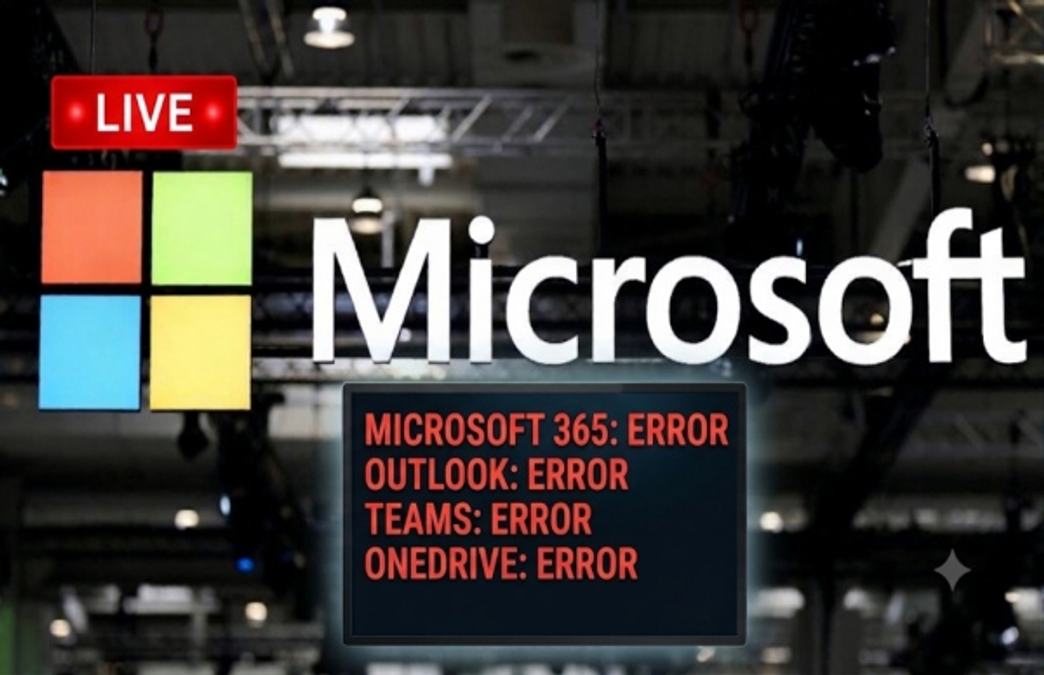
The Microsoft workspace applications are still not working, extending into the 15th hour, hitting businesses and services on a global level. From airlines to offices, all are facing issues in their daily workspace. Companies from Europe, India, USA and other countries continue to face disruption in email communications. Microsoft has assured that they are witnessing an early stabilization and capacity improvements. To help preserve delayed mail during this outage, Microsoft has extended their email timeout to 48 hours.
What has happened so far? Approximately 130,000 users have reported problems like accessing Outlook on outage tracker DownDetector after 1 PM ET on Thursday. 44% of the complaints were regarding using the Outlook app, while 23% of the complainants faced issues in receiving messages, and 17% of them reported issues in accessing Outlook on the website.
The complaints were not limited to Microsoft Outlook; similar issues and errors were faced on Microsoft's other workspace applications like Teams, Copilot, and OneDrive.
Microsoft revealed that a portion of infrastructure is experiencing elevated load across multiple regions, which is likely contributing to the connectivity errors. The company has begun redistributing connection traffic across their broader worldwide infrastructure to help balance the load.
However, it now more than 15 hours and the trouble shooting continues.
LIVE Feed
Nov 13, 2026, 4:08 pm IST
Microsoft Outage Live: Outlook, Teams, 365 Global Outage Hits Aviation, Banking, Healthcare, Govt and Other Key Sectors
Sector
Impact
Aviation
Airlines reported flight cancellations, delays and disruptions to email-based customer support and passenger communication.
Banking and Finance
Financial institutions faced disruptions to fund management, trade-related communications and transaction coordination.
Stock Markets
Exchange listing teams experienced email communication problems, affecting coordination and market-related activities.
Insurance
Insurers activated backup arrangements for earnings calls and faced disruptions to internal communications.
Government
Government agencies reported IT and communication issues affecting access to Microsoft-based services.
Healthcare
Healthcare organisations, including NHS services in the UK, experienced disruptions to communications and Microsoft applications.
Education
Schools and educational institutions faced difficulties accessing Microsoft-based communication and collaboration tools.
Technology and AI
Microsoft 365 connectors and integrations experienced failures, affecting access to work emails and data through AI tools.
Shipping and Logistics
Shipping companies reported delayed customer emails and disruptions to service updates.
Corporate Businesses
Companies faced email delays, meeting coordination problems and interruptions to internal communication.
Police and Law Enforcement
Some police services reported difficulties with online crime-reporting systems and related digital services.
Several sectors are facing issues due to Microsoft's global outages. These include education, healthcare, aviation, banking, and even government offices. Notably, these sectors were not per se impacted across the countries; the disruption was primarily concentrated in services dependent on Microsoft's email and Exchange Online infrastructure.
Nov 13, 2026, 4:05 pm IST
Microsoft Outage Live: Indian Airlines Hit
A global Microsoft outage disrupted airline operations in India on Friday, prompting SpiceJet to cancel three flights departing from Delhi to Pune, Leh and Mumbai. Two additional SpiceJet services from Delhi to Darbhanga and Mumbai were also delayed due to the technical glitch.
Nov 13, 2026, 4:03 pm IST
Microsoft Outage Live: Is Claude Down Due To Microsoft Outage?
Both.
Claude's core services are partially down right now: https://t.co/ChedwM7Tn4 is in major outage and Claude Code/platform.claude.com in partial outage since ~09:58 UTC today, mainly authentication failures. The API is still up.
Separately, the Microsoft 365 connector has been broken since yesterday (17:52 UTC Nov 12) purely because of the ongoing massive Microsoft 365 outage.
Some users on X are asking Grok if Claude is also hit by the Microsoft outage.
Nov 13, 2026, 4:00 pm IST
Microsoft Outage Live: Health Services In England Hit
A global Microsoft outage has disrupted NHS services in parts of England, preventing some GP practices from accessing online consultation systems and causing a backlog of referrals from NHS 111 services.
https://t.co/aOtDW4jEBK https://t.co/80TjBvHSwS
A global Microsoft outage has disrupted NHS services in parts of England, preventing some GP practices from accessing online consultation systems and causing a backlog of referrals from NHS 111 services.
Nov 13, 2026, 3:58 pm IST
Microsoft Outage Live: Microsoft Extends Email Timeout To 48 Hours
We’re seeing early stabilization and capacity improvements as recovery actions continue. To help preserve delayed mail during this event, we’ve extended email timeout to 48 hours. A more comprehensive update can be found at MO1550821 in the Microsoft 365 admin center, as well as https://t.co/bVoAAh3D2G if the admin center is not available to you.
We’re seeing early stabilization and capacity improvements as recovery actions continue. To help preserve delayed mail during this event, we’ve extended email timeout to 48 hours: Microsoft.
Nov 13, 2026, 3:56 pm IST
Microsoft Outage Live: Microsoft's Global Outage Extends For Over 15 Hours
We're investigating reports of users experiencing issues accessing Exchange Online mailboxes through multiple connection methods in the Americas. More details can be found in the Microsoft 365 admin center under EX1550543.
It has been more than 15 hours since Microsoft's applications have taken hit. At 11:24 PM of November 12, Microsoft said, "We're investigating reports of users experiencing issues accessing Exchange Online mailboxes through multiple connection methods in the Americas."
Nov 13, 2026, 3:54 pm IST
Microsoft Outage Live: Why Microsoft Is Facing Global Outage?
Microsoft revealed that a portion of infrastructure is experiencing elevated load across multiple regions, which is likely contributing to the connectivity errors. They have begun redistributing connection traffic across their broader worldwide infrastructure to help balance the load. Microsoft said, "We're aggressively pursuing all pathways to reduce impact. We've paused all deployments, we're moving additional traffic off the affected infrastructure, and we're restarting affected servers to return them to service."
Nov 13, 2026, 3:54 pm IST
Microsoft Outage Live: Microsoft Outlook Is Not Working
Approximately 130,000 users have reported problems like accessing Outlook on outage tracker DownDetector after 1 PM ET on Thursday. 44% of the complaints were regarding using the Outlook app, while 23% of the complainants faced issues in receiving messages, and 17% of them reported issues in accessing Outlook on the website. Microsoft Outlook is an email and calendar application offering web, PC, Mac, and mobile access as part of Microsoft 365, providing messaging, scheduling, contact management, and task organization services.
Nov 13, 2026, 3:53 pm IST
Microsoft Outage Live: Which Microsoft Apps Are Not Working?
A massive outage has hit Microsoft and its workspace applications like Teams, Outlook, Copilot, and other apps. According to the DownDetector tracker, thousands of users are struggling to open their email IDs, receive messages, or face errors in accessing these apps. The majority of complaints are about Microsoft Outlook, Teams, and 365. Meanwhile, thousands complained about issues faced in using Microsoft's workplace messaging app Teams, AI assistant Copilot, and Microsoft 365.
Notifications
Settings
Clear Notifications
No New Notifications
Notifications
Use the toggle to switch on notifications
Block for 8 hours
Block for 12 hours
Block for 24 hours
Don't block
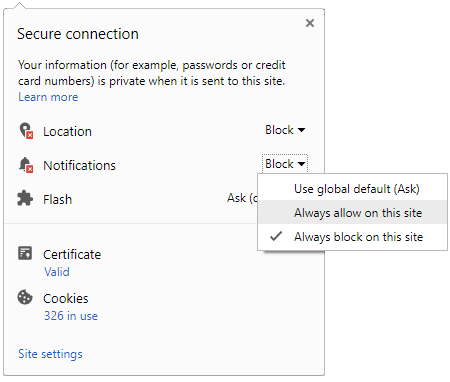
To start receiving timely alerts, as shown below click on the Green “lock” icon next to the address bar
Click it and Unblock the Notifications
Close X
Close X
To Start receiving timely alerts please follow the below steps:
Click on the Menu icon of the browser, it opens up a list of options.
Click on the “Options ”, it opens up the settings page,
Here click on the “Privacy & Security” options listed on the left hand side of the page.
Scroll down the page to the “Permission” section .
Here click on the “Settings” tab of the Notification option.
A pop up will open with all listed sites, select the option “ALLOW“, for the respective site under the status head to allow the notification.
Once the changes is done, click on the “Save Changes” option to save the changes.



 Click it and Unblock the Notifications


 Sign in with Google