



 Click it and Unblock the Notifications
Oppo ColorOS 17 November Update 2026: Check Eligible Phones, New Features And How To Download

Oppo has started rolling out its November 2026 ColorOS 17 feature update in India, introducing a range of practical improvements for selected premium smartphones. The latest release brings changes to photo management, translation, calling features, widgets and connectivity with computers, alongside updates to the Calculator app and OSee camera assistant.
Oppo Rolls Out ColorOS 17 Update In India: Check Find X10, Find X9, Find X8 And Reno16 Models
Rather than introducing a completely new operating system, the update focuses on making existing tools more useful for everyday tasks.
According to Oppo India, the rollout will continue in phases from November 1 to November 30, 2026. Eligible users may therefore receive the software at different times, even if they own the same smartphone model. The update is intended for devices already running ColorOS 17, and users can check its availability manually through the Software update section in their phone's Settings.
Oppo ColorOS 17 November Update: Eligible Phones In India
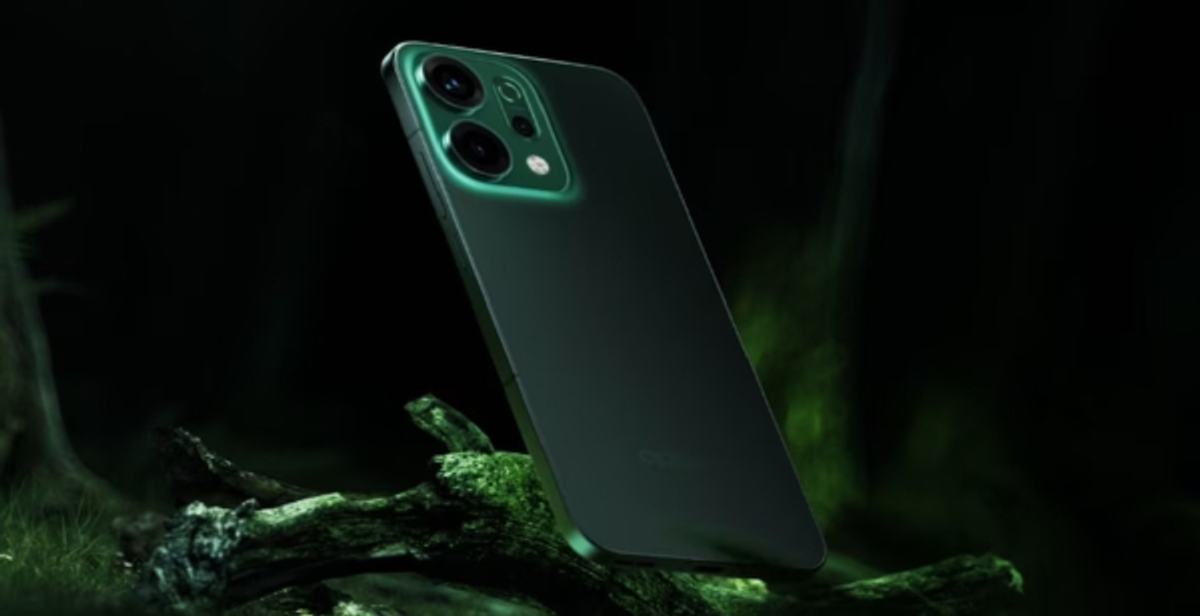
The November feature release currently covers nine Oppo smartphones across the Find X10, Find X9 and Find X8 series, as well as the Reno16 5G. The eligible models are the Oppo Find X10 Pro Max, Find X10, Find X9 Ultra, Find X9 Pro, Find X9s, Find X9, Find X8 Pro, Find X8 and Reno16 5G.
ColorOS 17 Update Brings More Control Over Photo Sharing
One of the main additions is Flexible Image Export in the Photos app, which gives users greater control over image quality and file size before saving or sharing pictures. Users can select from preset options or enter a custom size, while a locked aspect ratio helps preserve the original proportions of the image.
The feature could be useful when sending photographs through messaging apps, email or social media platforms. Users can choose smaller files when storage or transfer speed matters, while retaining greater detail for images that need to be displayed at higher quality. Documents, product photographs and travel pictures are among the types of images that could benefit from these options.

The update also changes how users manage photos stored locally and in the cloud. It allows them to remove an image from both locations or delete only the device copy while retaining the cloud backup. According to Oppo, cloud-backed-up photos remain in the Recently Deleted folder for 60 days, while pictures stored only on the phone remain there for 30 days.
Oppo has expanded the capabilities of OSee, its camera-based assistant. The tool can now operate in landscape mode and identify objects in real time through the camera view. Its features also include object encyclopedia and nutrition analysis in Hindi and English, while payment code recognition is available in India.
Translation has also received an AI-powered upgrade. Oppo says the feature is designed to preserve the tone of the original text instead of translating each word in isolation. A built-in dictionary lets users tap individual words to check their meanings, which may be helpful when reading messages, websites and documents in another language.
Oppo ColorOS 17 Update Improves Calling Features
The Phone app now gives users more control over caller name announcements. Depending on the available settings, users can choose to hear a caller's name for every incoming call or limit announcements to situations when Bluetooth earbuds or wired headphones are connected.
This can be convenient when the phone is in a pocket or bag, or when users are occupied with another task. However, the feature relies on the pre-installed dialer, so its availability may vary across devices and configurations. Users who have switched to a third-party calling app may experience different functionality.
O+ Connect Adds Multi-Device PC Connectivity
Oppo has updated O+ Connect to support connecting an Oppo smartphone and an Oppo tablet to the same computer simultaneously. The feature is aimed at people who work across multiple devices and need to transfer files or manage content between them. It requires O+ Connect version 17.100.10 or later.
The update also introduces an optional auto-unlock feature for supported PCs during remote sessions, using a saved password. The functionality depends on compatible devices and configurations, so users should check their available settings before relying on it.
How To Download Oppo ColorOS 17 November Update
Eligible users can open Settings on their Oppo smartphones and navigate to Software update to check whether the latest release is available. Since the rollout is phased, the update may appear later for some users even when the same model has already received it elsewhere.
Before installation, users should ensure that their phones have sufficient battery charge and storage space. Downloading the update over Wi-Fi and backing up important data beforehand are also sensible precautions. Devices that are not included in the current nine-model list may need to wait for further rollout announcements from Oppo.
Disclaimer: The views and recommendations expressed are solely those of the individual analysts or entities and do not reflect the views of Goodreturns.in or Greynium Information Technologies Private Limited (together referred as "we"). We do not guarantee, endorse or take responsibility for the accuracy, completeness or reliability of any content, nor do we provide any investment advice or solicit the purchase or sale of securities. All information is provided for informational and educational purposes only and should be independently verified from licensed financial advisors before making any investment decisions.

 Sign in with Google