



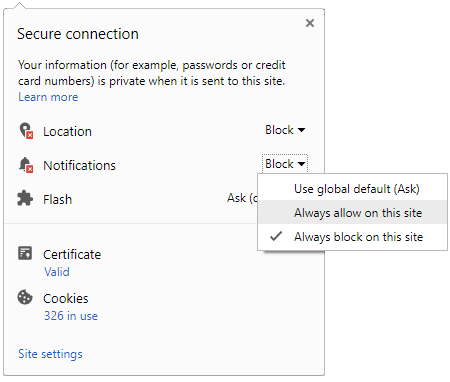
 Click it and Unblock the Notifications
SBI Shutdowns Again, November 20, 2026: Is Your UPI, YONO App Not Working? Here's What Happened

The State Bank of India (SBI) once again shuts down its UPI and YONO services after midnight of November 20, 2026. The bank said due to maintenance activity both their UPI and Yono App-related services were impacted. Customers complained on social media that the bank should have informed them prior to the new temporary shutdown.
SBI UPI Services Down Today:
Through its X handle, SBI said, "Due to scheduled maintenance activity, SBI UPI services will be temporarily unavailable from 00:15 hrs to 00:40 hrs on 20.11.2026 (IST)."
It said, "The activity may, however, be completed early. Customers may continue to use UPI Lite Services for uninterrupted service." Adding SBI said, "We regret the inconvenience caused to our customers."
7 hours ago, users still could not use their UPI services. One user said, "Still not working even after the scheduled maintenance window (00:15-00:40)."
Further, SBI also said that due to scheduled maintenance activity, there will be intermittent disruption to YONO services from 01:00 hrs to 01:30 hrs on 20.11.2026.
Meanwhile, SBI advised customers to use their other banking services. These services included internet banking, IMPS, NEFT, RTGS and ATM transactions. Debit card services were also not impacted.
As per DownDetector, several complaints were reported related to SBI services in the last 24 hours. 36% of the complaints were related to funds transfer, while 24% of the complaints were related to online banking and 23% of the complaints faced issues regards to SBI app.
SBI's UPI Lite is meant to make small-value payments without the need to enter UPI PIN. The transaction limit is Rs 1,000 per transaction, while customers should maintain a balance of Rs 5,000. The overall standard UPI transaction limit is Rs 1 lakh per day at SBI without any charges.
How to activate UPI Lite on SBI YONO?
Step 1: Open the YONO SBI app.
Step 2: Navigate to the UPI section.
Step 3: Select UPI Lite.
Step 4: Choose the amount to add to your Lite balance.
Step 5: Complete the authentication process.
Step 6: Start making small-value payments without entering your UPI PIN.
Notably, SBI also offers UPI Lite features through its BHIM SBI Pay app as well. For this, customers can download the BHIM SBI PAY. In the app, tap on the UPI LITE section. The app will prompt you to load the fund in UPI Lite. Post successful loading of the fund in it, the UPI Lite will be enabled on the app.

 Sign in with Google