



 Click it and Unblock the Notifications
WhatsApp Scheduled Messages Feature: How To Schedule Messages On iPhone & Android, Check Steps & Details

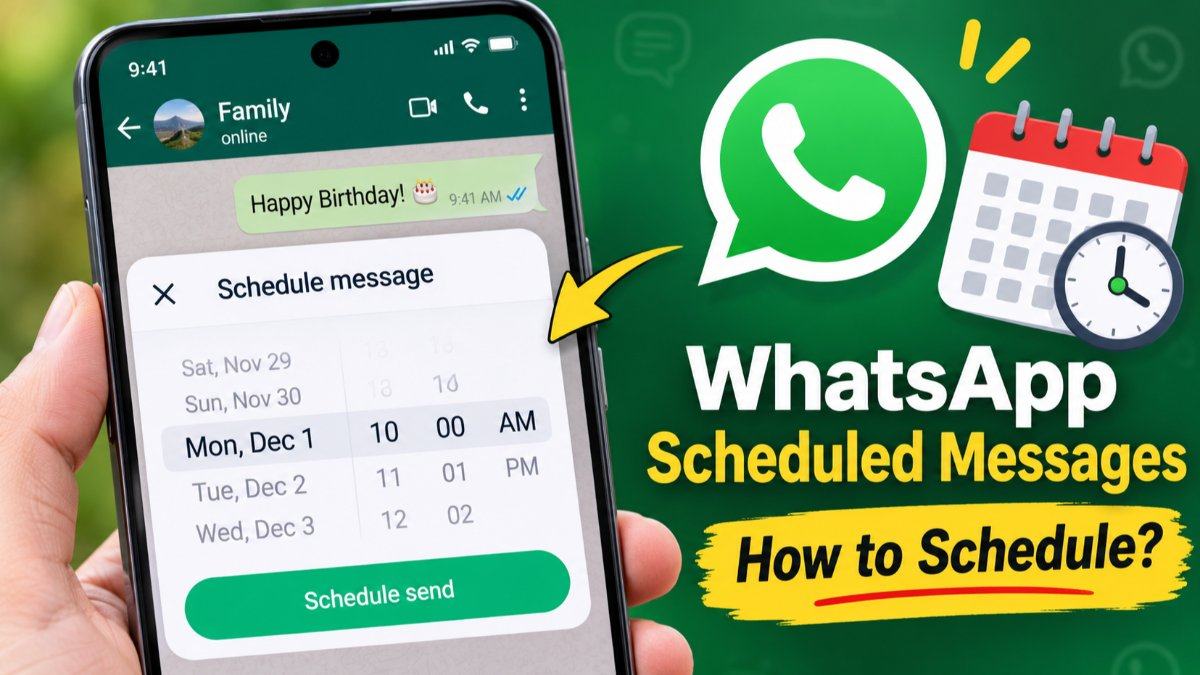
WhatsApp is finally bringing a feature that users have been requesting for years. The Meta-owned messaging platform is rolling out scheduled messages on iPhone and Android, allowing users to write a message in advance and choose the exact date and time at which it should be delivered.
Announced officially on November 25th, the feature is going to make it easier to send birthday wishes, festive greetings, and important work-related messages without having to remember to send them manually.
Users will no longer need to stay awake until midnight to wish someone on their birthday or depend on third-party apps to schedule messages.
WhatsApp has confirmed that the feature will roll out globally over the coming weeks. However, the update is being released in phases, which means it may not be available to every iPhone and Android user immediately. Some iPhone users have reportedly started receiving the feature, while its availability on Android remains limited.
How To Schedule Messages On WhatsApp?
Scheduling a message on WhatsApp is fairly simple. Users can type their message, select a preferred delivery date and time, and let the app send it automatically.
Here is a step-by-step guide to using the new feature:
Step 1: Open WhatsApp on your iPhone or Android smartphone.
Step 2: Open the individual or group chat where you want to send the message.
Step 3: Type your message or select a photo or video from the media picker.
Step 4: Press and hold the send button (aeroplane icon).
Step 5: If the feature is available on your account, a 'Schedule Message' option will appear.
Step 6: Select the date and time at which you want the message to be delivered.
Step 7: Tap the confirmation button displaying the selected date and time.
Once confirmed, WhatsApp will save the message and send it automatically at the scheduled time.
If the 'Schedule Message' option does not appear, users should check whether they have installed the latest version of WhatsApp. The feature is being rolled out gradually, so updating the app does not necessarily mean it will become available immediately.
How To View Or Delete Scheduled Messages On WhatsApp?
WhatsApp will also allow users to manage messages that they have scheduled but that have not yet been delivered.
After scheduling a message, users will see a banner in the chat that reads, 'You scheduled a message. View'. Tapping this option allows them to access their scheduled messages.
There is also a dedicated section in the chat information screen where users can view and delete messages before they are sent.
WhatsApp Scheduled Messages: What Are The Rules And Limits?
The new feature has certain restrictions that users should know about before scheduling messages.
- Users can schedule messages for a time between 10 minutes and 14 days after creating them.
-The feature supports text messages, photos, videos and links. Documents are reportedly not supported at present.
-Users can schedule messages in both personal conversations and WhatsApp groups.
-One of the biggest advantages is that the scheduled message will be delivered even if the sender's phone is switched off or runs out of battery.
-Scheduled messages remain protected by WhatsApp's end-to-end encryption. This means that the message content cannot be read by WhatsApp or other third parties.
WhatsApp Also Testing View Once Text Messages
Apart from scheduled messages, WhatsApp is also introducing another feature giving users more control over their conversations.
Select Android users are receiving the option to send view-once text messages. As the name suggests, these messages can be opened only once by the recipient.

 Sign in with Google