



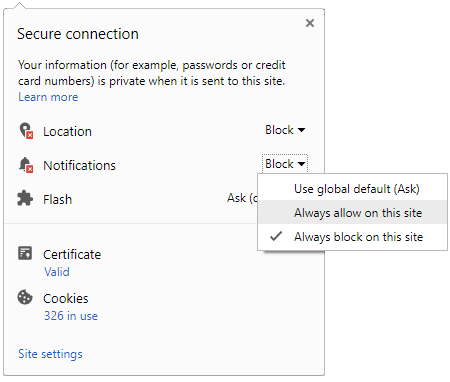
 Click it and Unblock the Notifications
EPFO Member e-Sewa Portal Login: How To Check PF Balance, Download Passbook And Update KYC Online

Employees' Provident Fund Organisation (EPFO) members can use the Member e-Sewa portal to manage their provident fund accounts online without visiting a regional EPFO office for routine services. The portal allows employees to check their contributions, access employment details, download their PF passbooks and update personal information and Know Your Customer (KYC) details.
EPFO Member e-Sewa Portal: Check PF Balance, Download Passbook And Update KYC
Members can access the portal through EPFO's official website using their Universal Account Number (UAN) and password. EPFO has also introduced Passbook Lite within the member portal, allowing subscribers to view a summary of their provident fund contributions, withdrawals and accumulated balance without logging into the separate passbook portal.
How To Log In To EPFO Member e-Sewa Portal
Activate UAN: Ensure your Universal Account Number (UAN) is activated.
Visit EPFO Website: Open the official EPFO website and access Member e-Sewa.
Enter Login Details: Provide your UAN, password and captcha, if prompted.
Access PF Services: Check contributions, KYC details, employment records and claim status.
Reset Password: Use the password recovery option if you cannot log in.
Employees can check their provident fund contributions and accumulated balance by logging in to the Member e-Sewa portal. The account information helps members track whether contributions are being credited and review their PF savings over time.
Members who require a more detailed transaction record can use the dedicated EPF passbook service, subject to its availability and the account's eligibility. Checking the account periodically can help employees identify missing contributions or discrepancies that may need to be raised with their employer or EPFO.
What is EPF Passbook?
The EPF passbook contains details of contributions made by the employee and employer, along with other transactions recorded in the account. Members can use the passbook to review their savings and verify the contributions credited during their employment.
To access the detailed passbook, members should visit EPFO's official passbook service and log in using their UAN and the required credentials. They can then select the relevant member ID to view the available passbook and download it if the option is provided.
Employees who have worked for multiple employers may see separate member IDs associated with their UAN. They should check the relevant account to review contributions for a particular period of employment.
Members who cannot access their accounts should first check whether they have entered the correct UAN and password. They should also ensure that the UAN has been activated and use the portal's password recovery facility if necessary.
If the problem continues, members can refer to the official EPFO website for assistance and the latest service instructions. They should avoid sharing their password, OTP or other confidential account information with unauthorised persons.
The EPFO Member e-Sewa portal provides a central online facility for managing several routine provident fund services. By checking contributions, reviewing passbook entries and keeping KYC information updated, employees can monitor their PF accounts and handle eligible requests without making an in-person visit for every service.
Disclaimer: The views and recommendations expressed are solely those of the individual analysts or entities and do not reflect the views of Goodreturns.in or Greynium Information Technologies Private Limited (together referred as "we"). We do not guarantee, endorse or take responsibility for the accuracy, completeness or reliability of any content, nor do we provide any investment advice or solicit the purchase or sale of securities. All information is provided for informational and educational purposes only and should be independently verified from licensed financial advisors before making any investment decisions.

 Sign in with Google